
18 Charging Station Storage Ideas for 2026
This post may contain affiliate links: full affiliate disclosure.
You surely know how messy it can be to charge your phones, tablets, or earphones if you have more than one of them at home.
You have one charger on the couch and another on the kitchen counter, but the wire you need always seems to go missing when your phone is close to die.
After a while, the cords get tangled, the devices end up in strange places, and your home just feels messy.
In this article, I’ll Explore 18 practical charging station storage solutions you can incorporate into your home.
Let’s jump in!
Contents
- 1 How Do You Organize Multiple Phone Chargers in One Place?
- 1.1 Hub Charging
- 1.2 Drawer Charging
- 1.3 Shelf Organizer
- 1.4 Charging Dock
- 1.5 Stand Charger
- 1.6 Alarm Charger
- 1.7 Travel Charging
- 1.8 Cable Rack
- 1.9 Wall Holder
- 1.10 Desk Basket
- 1.11 Cable Case
- 1.12 Charging Tray
- 1.13 Lamp Charger
- 1.14 Charging Nightstand
- 1.15 Pegboard Station
- 1.16 Headphone Hook
- 1.17 Cable Box
- 1.18 Monitor Stand
- 2 FAQs
How Do You Organize Multiple Phone Chargers in One Place?
If you want to keep your phone chargers organized, the best thing to do is to make a special charging space in your home.
When chargers are all over the house, wires become lost, electronics pile up, and everyone constantly asking, Where’s the charger.
Instead, choose one spot, such a desk, kitchen counter, or side table, and make it your charging station.
To charge more than one device at a time, start with a power strip or multi-port charger. Then, to protect the cords from getting all over the place, add a small box, tray, or organizer.
If you have kids, make sure to identify each cord so they know which one goes with their gadget.
Save this article for later! 👇👇
Hub Charging
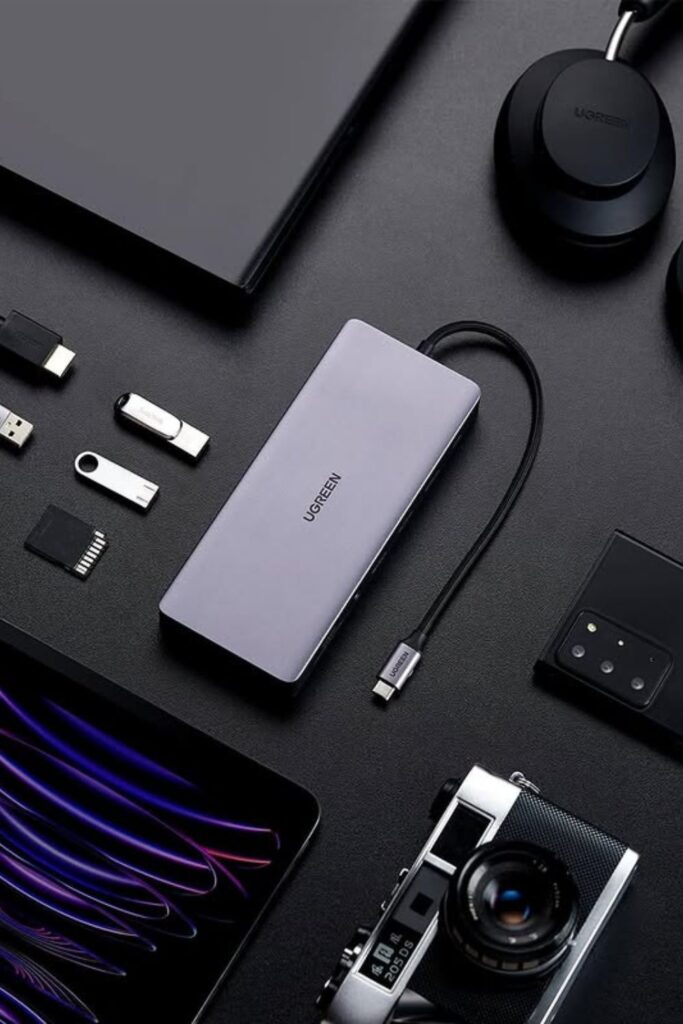
Desk clutter drops fast once a single charging hub takes control of all the cables. A multi-port USB hub.
Like this keeps phones, tablets, headphones, and other gadgets charging. From one small area instead of distributing adapters all over the tabletop.
Put the hub in the middle of your workstation and run each cable to the gadget it goes with. Short cables work best here because they don’t get tangled and keep things neat.
This kind of configuration is great for office desks or tech workstations. Where a lot of devices need power every day.
Put a small cable organizer or clips around the edge of the desk with the hub so that each cable stays in position and is ready to use when a gadget needs to be charged.
Drawer Charging
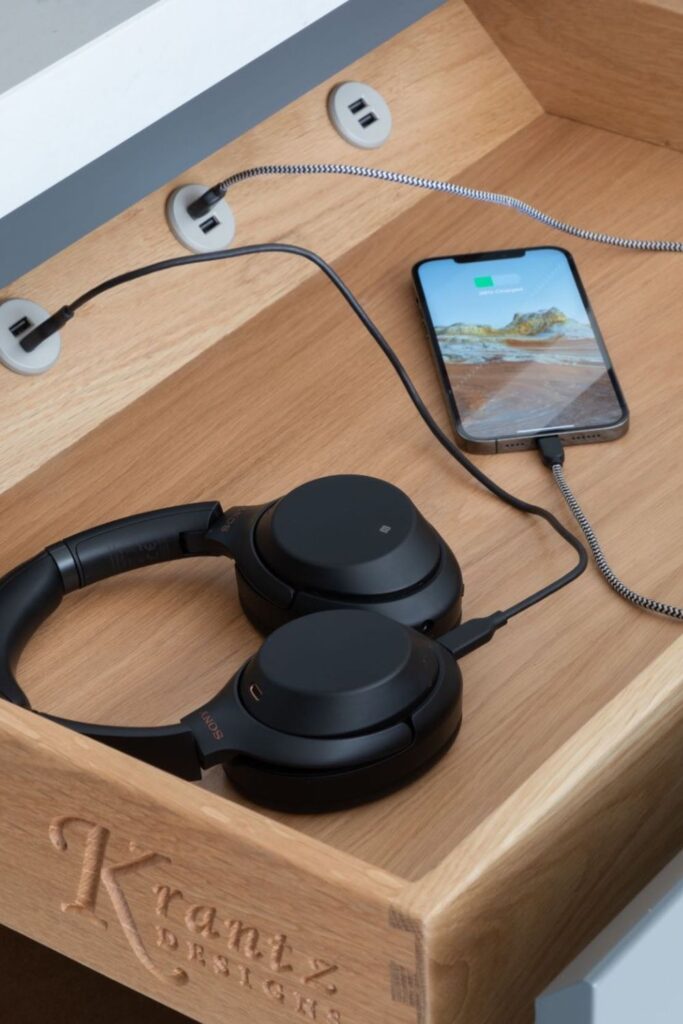
Loose cables often ruin the clean look of a desk, but a hidden charging drawer keeps everything out of sight while devices still power up.
A simple wooden drawer with built-in outlets lets you charge your phone, earphones, or headphones without having to deal with wires all over your desk.
Small holes on the back of the drawer let each charger fit in perfectly, so the cords never spill out onto the top.
This approach works best in places where electronics tend to pile up at night, including workstations, bedroom tables, or kitchen islands.
Put a small plug strip inside the drawer and run short charging cords through the holes. Each device has its own charging space, and when the drawer closes, the mess is gone.
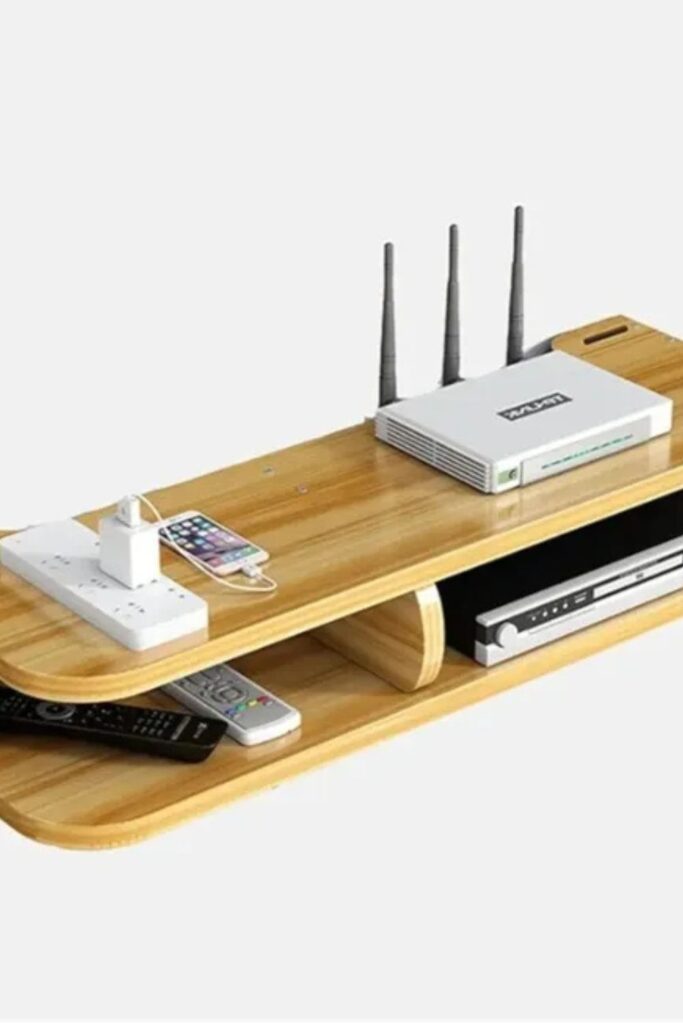
Shelf Organizer
Entertainment centers usually collect random devices, remotes, and cables, which quickly turns the space into a mess.
A layered wooden shelf organizer fixes that by providing each gadget its own level. There is a small power strip nearby for phones and other peripherals.
And the top surface can accommodate your router, modem, or charging dock.
Open compartments on the bottom are great for streaming boxes, DVD players, or remotes.
That usually slide around on the table. To set this up again, just put a multi-tiered wooden stand on a desk or TV console and run a power strip down the back edge.
You can charge your phones on the top shelf and keep your other equipment neatly placed below, which keeps the whole space orderly without the need for more furniture.
Charging Dock
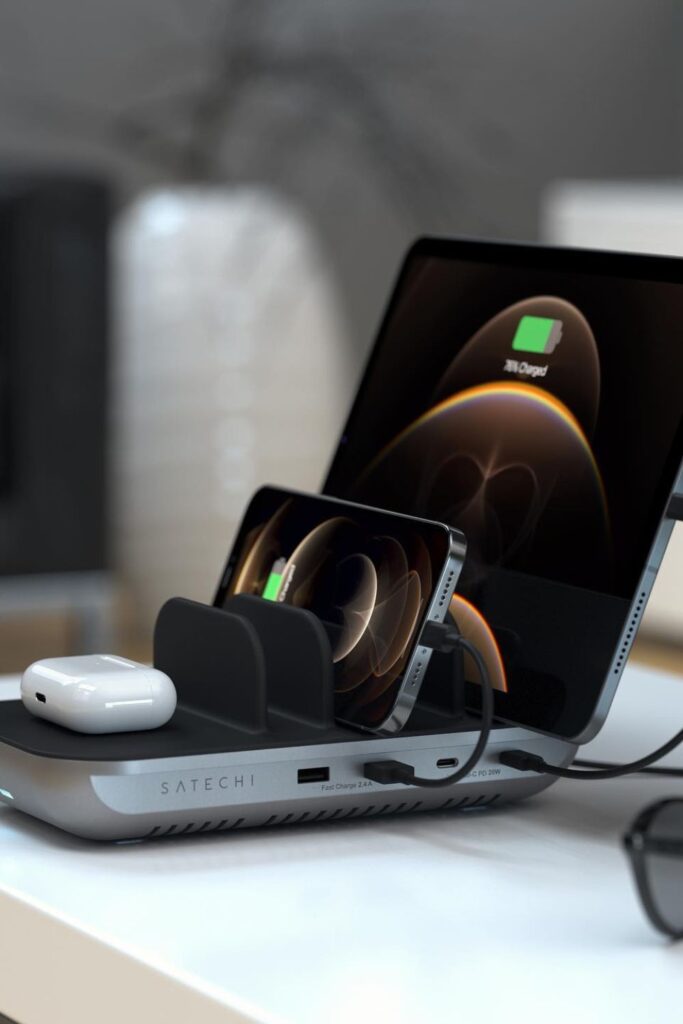
Multiple devices often end up fighting for space around one outlet. A multi-device charging dock solves that problem by giving each gadget its own slot.
Everything gets its power from the same base. The phones stand up straight, the tablets lean against something, and the earphones stay put on the flat pad.
Setup works best on a desk, bedside table, or work station where a lot of gadgets charge every day.
Put the dock close to an outlet and put one power cord behind the table to keep the surface clean.
This kind of dock is great for folks who use their phone or tablet a lot during the day because each item stays visible and easy to reach as it charges.
Stand Charger
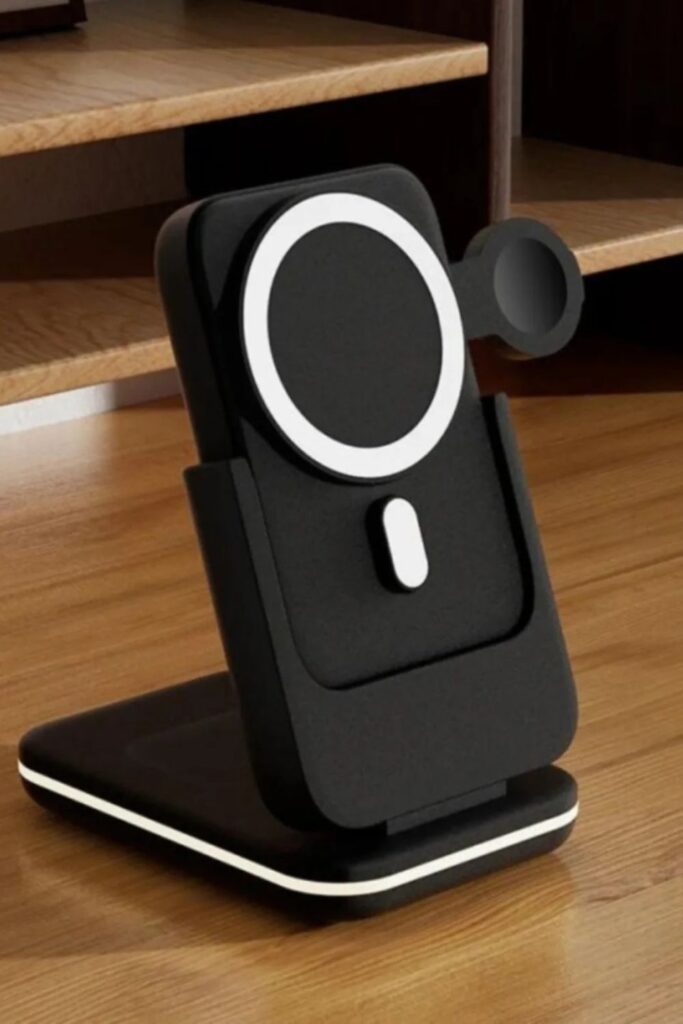
Dead batteries usually show up right when you need your phone the most. A vertical charging stand keeps the device powered.
And still being accessible to inspect or pick up during the day. Phones stand up instead of lying flat, so notifications, calls, and brief messages.
Keep visible even when the phone is charging. The ideal places to put it are on a work desk, a nightstand, or an entry table where you usually drop your phone when you go in.
It’s easy to put it up again: just use a magnetic or wireless charging stand and run the power cord behind the table to keep the surface clean.
It’s easy for your phone to end up in the same place every time when you have a designated spot like this. This keeps chargers from being lost around the house.
Alarm Charger
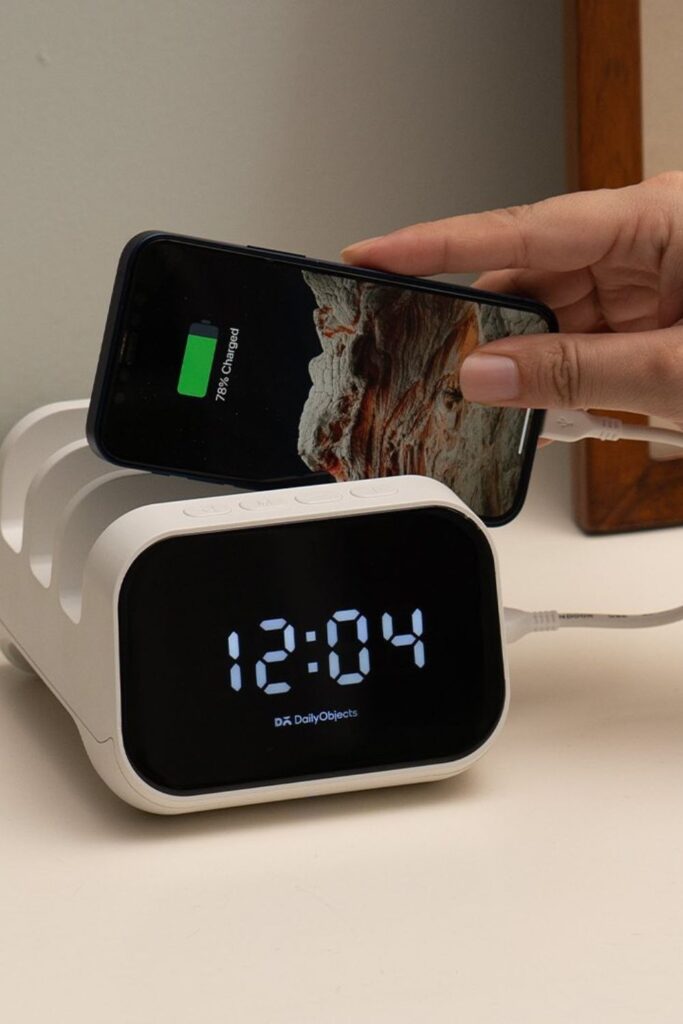
Nightstands often become a dumping spot for phones, cables, and random gadgets. A charging alarm clock solves two problems.
Simply turning the area next to the bed into a simple charging station. The clock stays visible at night so you can quickly check the time.
Phones slip into the built-in slots. No extra cords lying about, and you don’t have to look for a charger before bed.
Placement next to the bed works nicely, where devices generally charge overnight. It’s easy to set things up again: just get a bedside clock with built-in USB charging ports.
And keep short wires in the grooves. The nightstand appears cleaner immediately away, and the phones stay upright and the charging is orderly without adding extra gadgets or storage bins.
Travel Charging
Long travel days often end with a nearly dead phone and no outlet nearby. Luggage with a built-in charging port.
keeps power close by as you wait at the airport, train station, or bus station. The luggage has a power bank within it.
And the USB connector on the outside enables you connect a cable directly to your phone without opening the bag. Setting it up is easy.
Just put a portable battery in the luggage pocket and plug it into the suitcase port. It’s easy to charge whether sitting, strolling, or waiting to board.
This solution is best for people who travel a lot because it keeps gadgets charged over extended travels without having to search through suitcases for wires or adapters.

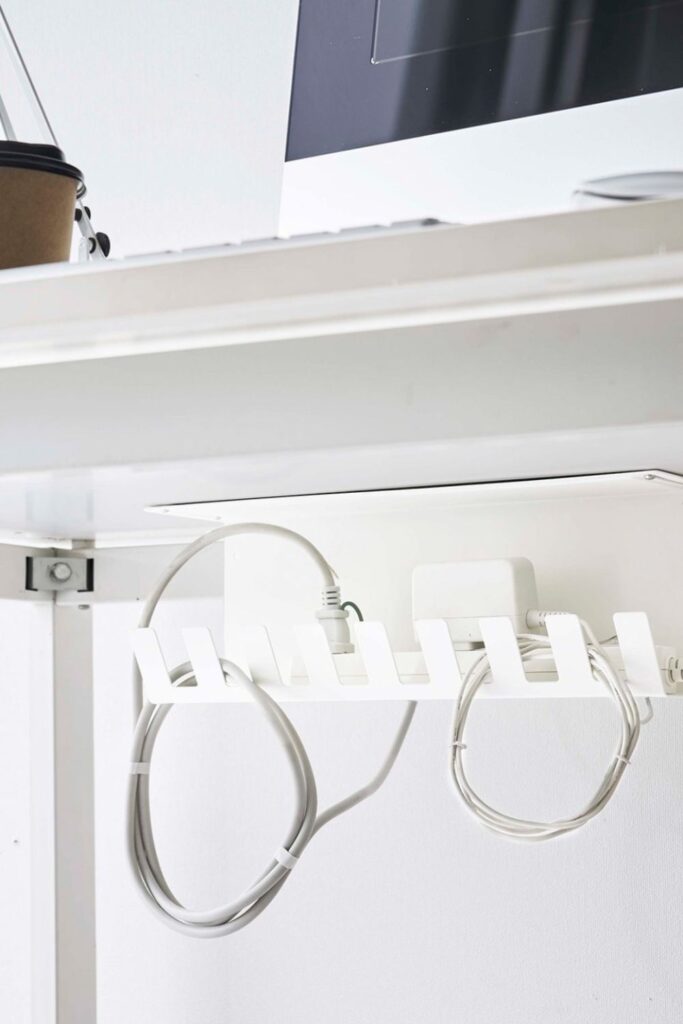
Cable Rack
Desk setups often look messy not because of devices, but because cables hang everywhere underneath.
A mounted cable rack fixes that by giving each charger and adapter a secret place to live under the desk.
The excess cable length wraps around the slots instead of hanging down to the floor, and the power bricks fit well on the rack.
Installation works best under a desk where plugs and adapters frequently gather. Put a small metal or plastic cable tray under the tabletop and put your power strip within it.
The desk looks cleaner right away from above because the chargers stay off the floor and the cables don’t get tangled.
Wall Holder
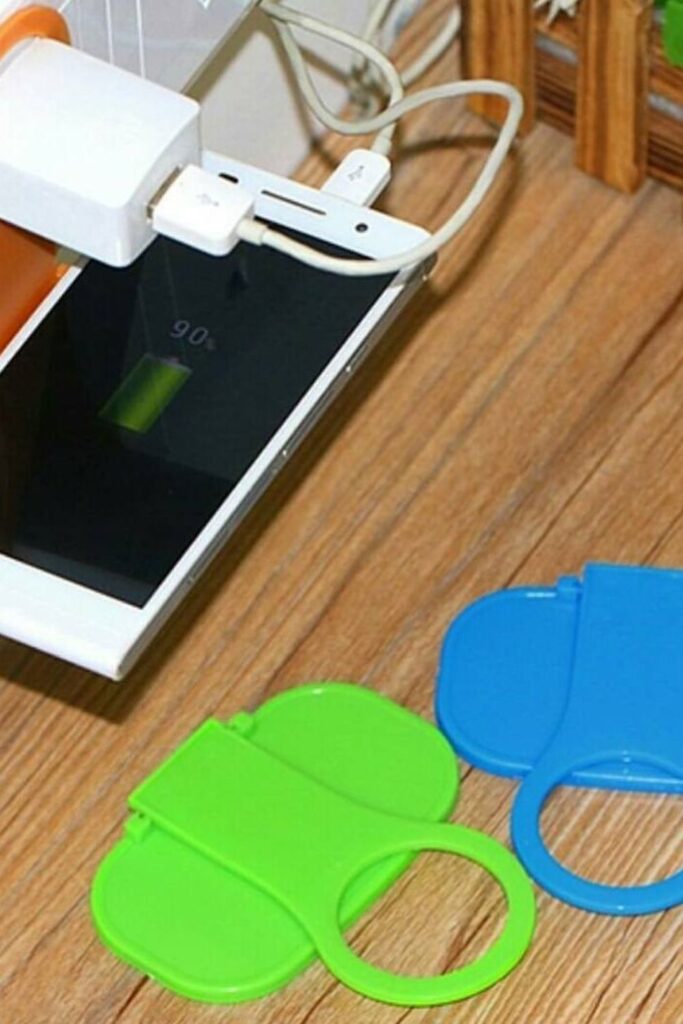
Phone cables hanging from wall outlets often pull devices down or leave them resting on the floor.
A little wall-mounted holder fixes that by giving the phone a safe place to sit while it charges. The holder goes around the charging plug.
And makes a small shelf for the phone to sit on right next to the socket. It doesn’t take much work to set up just put the charger through the holder and plug it back in.
No need for extra equipment or drilling. This idea works best in bedrooms, kitchens, and bathrooms because there aren’t many tables near outlets in those rooms.
Phones keep charged, cords stay neat, and you don’t have to hold your gadget in strange locations to charge it anymore.
Desk Basket
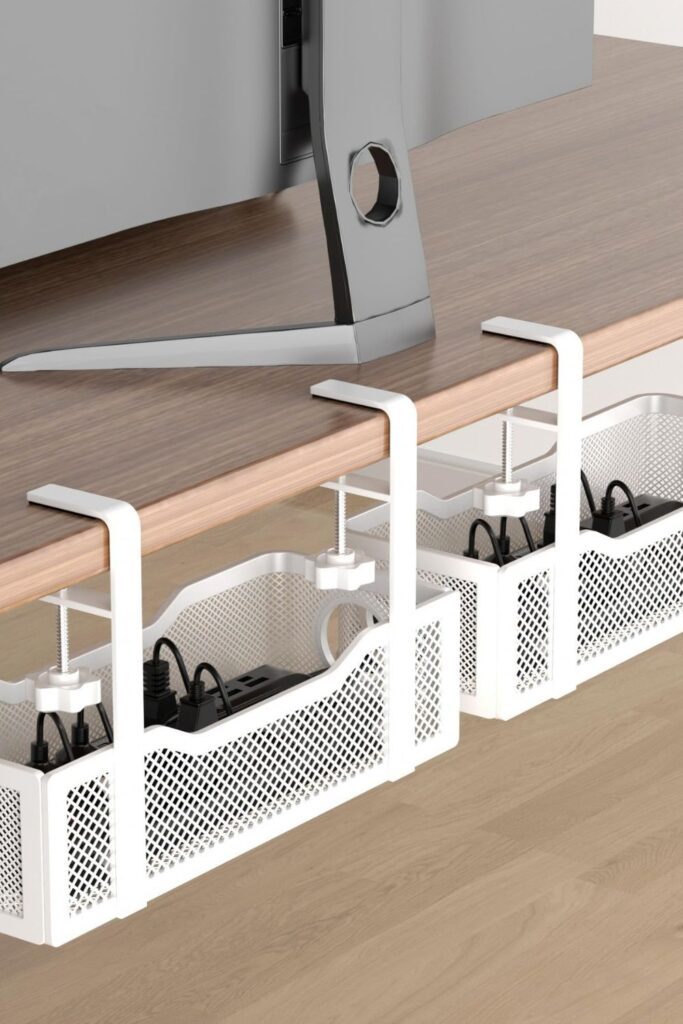
Power strips and charging bricks usually end up scattered under the desk where cables twist into a tangled mess.
A hanging desk basket puts all of your charges in one place and off the floor. The basket attaches immediately to the side of the desk.
Making a hidden space where adapters, power strips, and excess wires can all fit together nicely. Cords can go through round cable holes without becoming stuck.
Setup works well for workplaces or gaming stations where a lot of gadgets need to be charged every day. Put the basket under the desk, put the power strip inside.
Then route the cables up to your gadgets. Charging stays neat cords stay out of sight, and the desk looks better from every perspective right away.
Cable Case
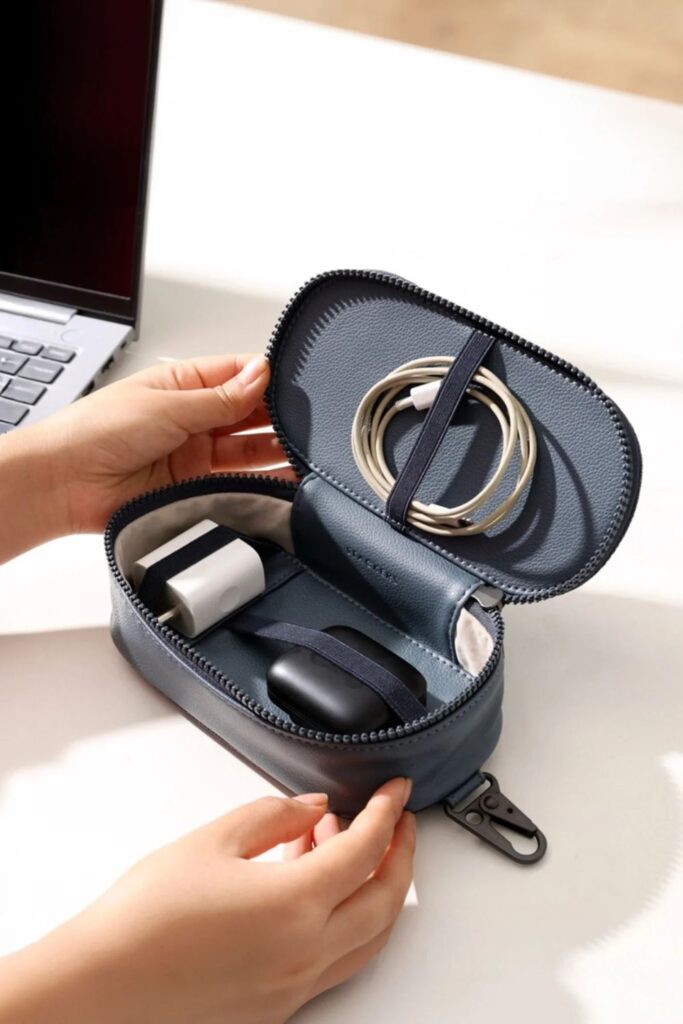
Chargers tossed into bags often turn into a tangled knot by the time you need them. A compact cable case keeps everything in one organized place.
So your charging gear stays organized instead of drifting around in your backpack. Elastic bands keep adapters, earbuds.
And charging cables in place so they don’t move around when you’re on the go. Small compartments help keep fragile cables from bending or breaking.
People that travel or commute every day get the most out of this setup because they usually bring their laptops, phones, and power banks with them.
Just coil each wire up loosely, slide it under the elastic band, and put the adaptor in its proper slot. It’s easy to find every charger, and packing your tech becomes a quick, stress-free habit.
Charging Tray
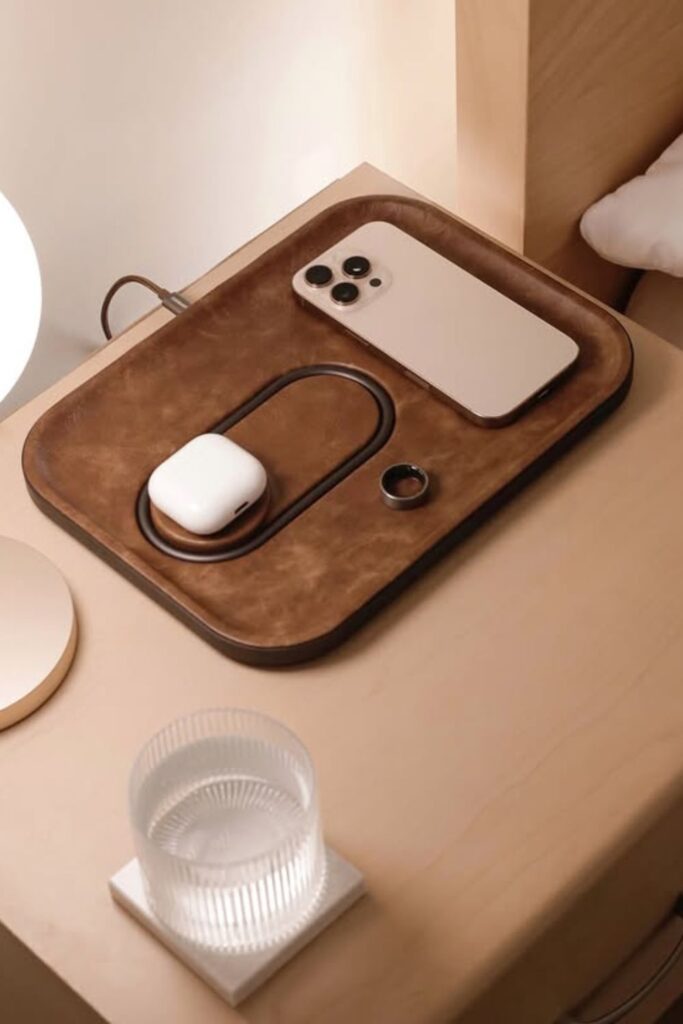
Nightstands easily turn into clutter zones once phones, earbuds, rings, and random items start piling up.
A charging tray keeps everything in one place and organized, and also hides the cords underneath.
The charging pad on the tray powers electronics, and the tray itself holds tiny items like keys, watches, and jewelry.
Setup works great next to the bed, where phones normally charge while they sleep. Just put the tray near an outlet and run the charging cord below the table.
So that only the clean leather surface is visible. Every night, things like phones and earbuds charge without messy cables all over the nightstand.
Lamp Charger
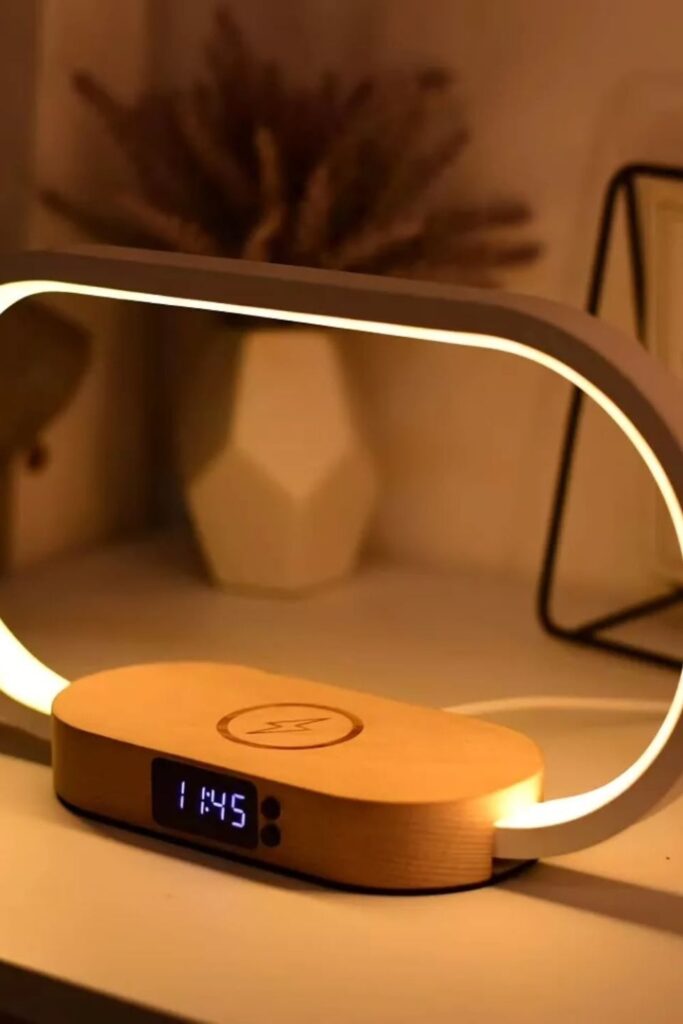
Bedside lamps usually take up space without doing much more than lighting the room. A lamp with a built-in charging base.
Makes that same space into a simple place to charge overnight. The mild light makes the nightstand usable and clean, and phones sit conveniently on the wireless pad.
There are no extra chargers on the table or cords running all over the place. The best place to put it is next to the bed, where electronics charge naturally at night.
Put the light close to an outlet and run the power cord behind the table to keep the surface clean.
This little modification replaces a lamp, charger, and clock arrangement with one neat item that keeps your phone charged all night long without making any noise.
Charging Nightstand
Morning routines feel smoother when the phone always charges in the same place overnight. A nightstand with a built-in wireless charging surface.
It makes the bedside table a secret charging station without adding any extra equipment. The luminous pad is where phones sit.
And the drawers underneath hold cords, earbuds, and other small gadget equipment. No wires hanging around on the table, and you won’t have to look for chargers before bed.
Setting up close to the bed is excellent because that’s where devices naturally end up at night. Put the nightstand close to a wall socket and run the power cord behind it.
So the charging area stays clean. This kind of furniture quietly combines storage and charging into one easy-to-reach place that maintains the bedroom neat.

Pegboard Station
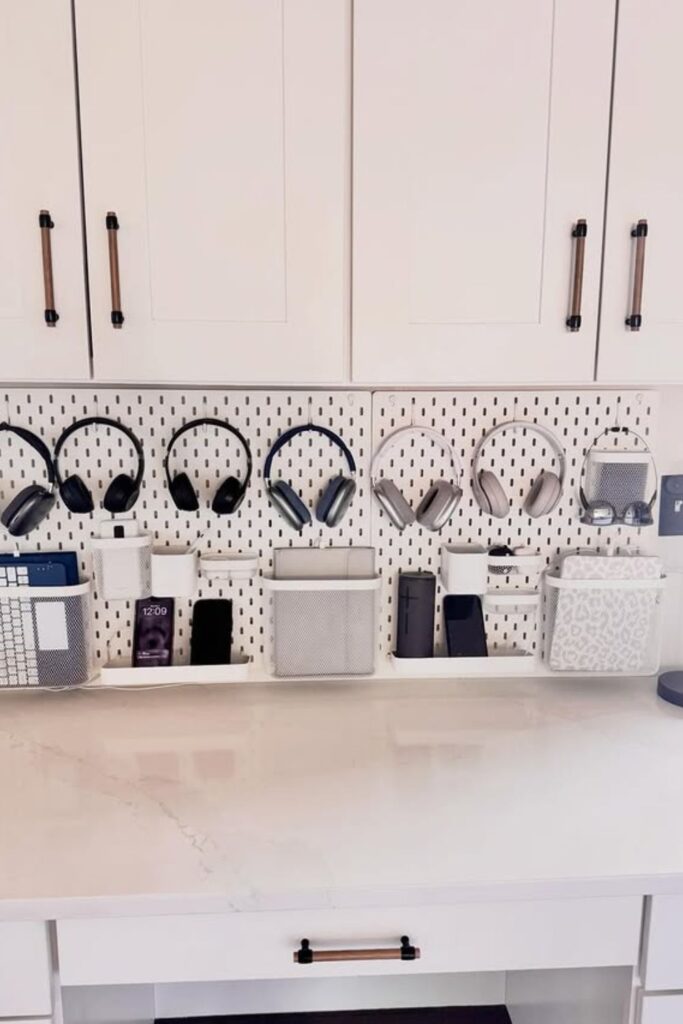
Family charging spots quickly become messy when everyone drops their devices in the same place.
A pegboard charging wall fixes that by giving each device its own tray, hook, or basket. Headphones hang neatly, phones stand up straight on small shelves.
And cables stay clean behind the board instead of spreading out on the counter. Setup is perfect for home offices, study corners, or shared family charging stations.
When a lot of gadgets need a place to stay. Put a pegboard panel on the wall and hang hooks, tiny containers, or trays on it to hold what you wish.
Chargers may run behind the board, and each device can stay in its own location. This turns a messy charging area into a neat and easy-to-use station.
Headphone Hook
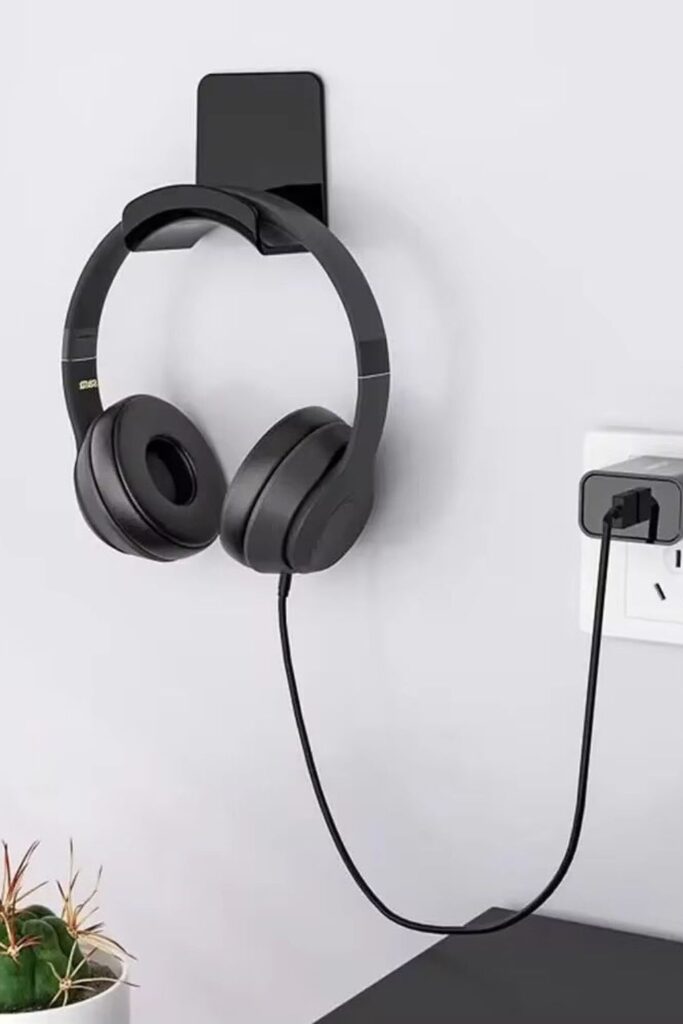
Headphones often end up tossed on desks or tangled with charging cables. A simple wall hook gives them a dedicated spot while keeping nearby charging outlets clear.
Put the hook near a wall outlet so that the headphone cord may connect in without having to reach across the desk.
This technique works well for daily desk arrangements because people frequently put on and take off their headphones multiple times a day.
It barely takes a minute to put up. Just screw or place a small hook into the wall next to your desk.
The headphones stay off the table, the cords hang down naturally without getting tangled, and the space surrounding the outlet where the charging happens stays neat.
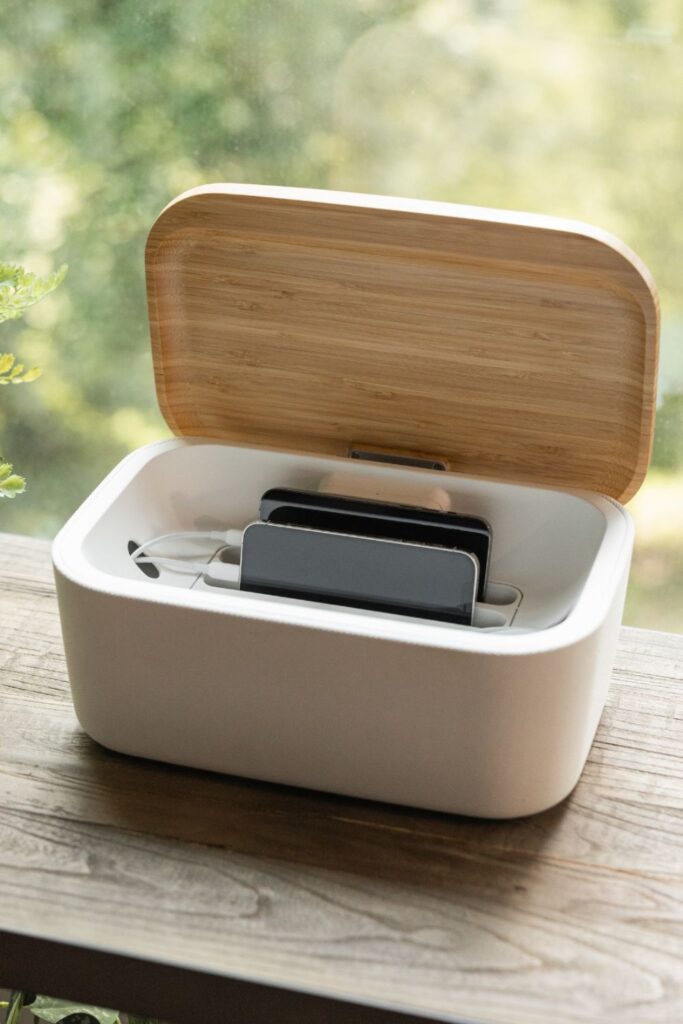
Cable Box
Charging areas often look messy because power strips and cables stay fully visible on the table.
A charging cable box keeps everything neat and tidy while yet letting gadgets charge regularly. The power strip and extra cable length keep hidden underneath.
While the phones stand up straight in the slots. There are small holes at the back that let cables in without bending or cramming the lid.
Setup works best on workstations, kitchen countertops, or places in the house where the whole family charges their devices at the same time.
Put the power strip inside the box, run the cords through the holes, and give each slot to a different device.
Monitor Stand
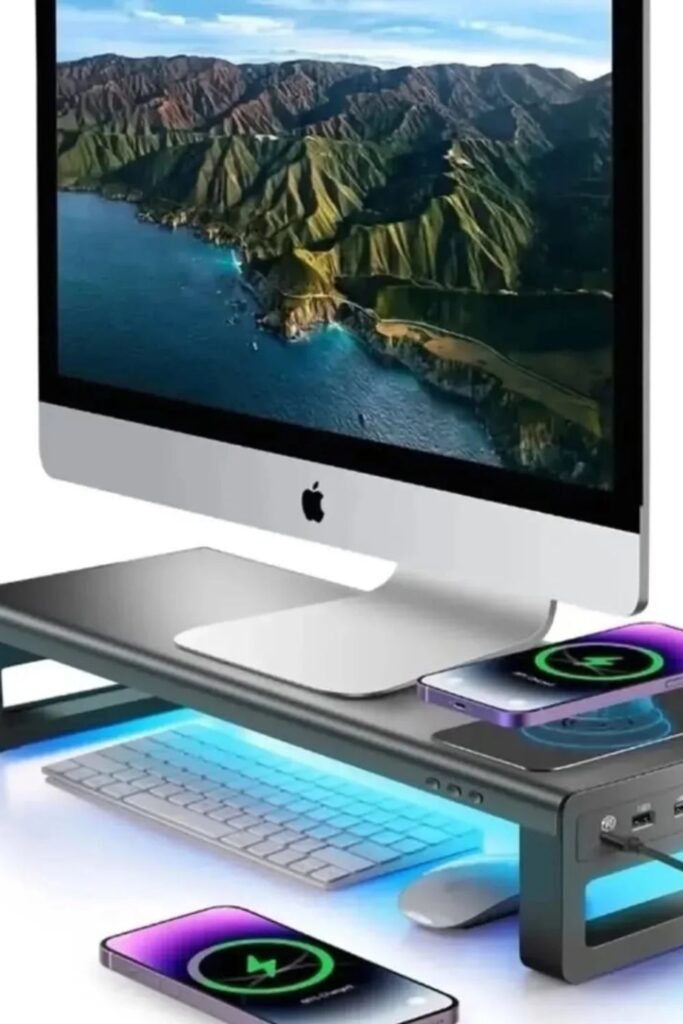
Desk space disappears quickly once chargers, cables, and devices start spreading around the computer. A monitor stand with built-in charging ports solves.
That by making the area under your screen into a small charging station. The wireless pad can charge phones.
And the USB ports on the front can power other devices like tablets, headphones, or power banks.
The stand that is higher up also makes more room under it for a keyboard or mouse, which keeps the top of the desk uncluttered.
Setup is excellent for home offices or workstations where a lot of devices stay connected all day. Put the stand under the monitor and the power cord under the desk.
FAQs
Where is the best place to create a charging station at home?
The greatest spot is where devices naturally gather during the day. In a lot of homes, that’s a desk, a kitchen counter, an entry table, or a bedside table.
Choose one place to be the main charging station so that chargers don’t end up all around the house.
Adding a small tray, dock, or cable box to that location helps keep things in order and makes it easy for everyone to plug in their devices.
How can you hide charging cables without making them hard to reach?
Cable organizers, charging boxes, and trays that go beneath desks are all easy methods to keep cables out of sight but still easy to get to.
Hide the cables under furniture or via small holes in the furniture so that only the ends that charge are visible.
Shorter cables also assist keep the charging area clean and tidy without making it harder to use.
You may like to read!
- 21 Boot Storage Ideas
- 20 Pencil Storage Ideas
- 22 Kitchen Wall Storage
- 19 Storage Bench Ideas
- 19 Headphone Storage Ideas

Fasial is the founder of the Fizzy Flare. He has been a passionate blogger since 2021. He ran three different websites in the past few years. Now he is focusing on Fizzy Flare to build an audience and help them organize their life.